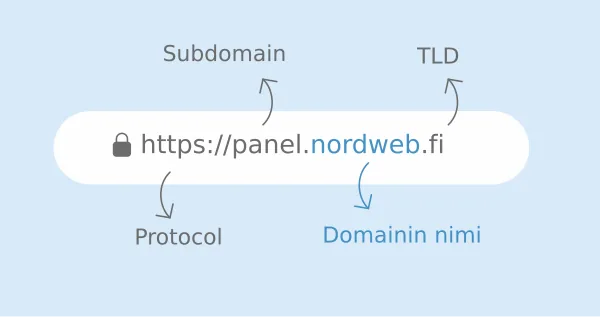
Kun sivusto ja sähköpostit katoavat samalla sekunnilla eikä palvelimella ole tapahtunut mitään, syy on lähes aina verkkotunnus. Se on vuokrattu määräajaksi, ja uusimislasku menee usein osoitteeseen jota kukaan ei enää lue. Tilanne on korjattavissa, mutta se ei odota kuukautta.
Lyhyesti
- Sivusto ja sähköpostit katoavat yhdessä, se on tyypillinen tunnusmerkki.
- Vanhentuneella verkkotunnuksella on armonaika, jonka pituus riippuu päätteestä.
- Toimi heti. Armonajan jälkeen tunnus voi vapautua kenen tahansa rekisteröitäväksi.
1. Varmista että kyse on verkkotunnuksesta
Jos sekä sivusto että sähköposti lakkasivat toimimasta samaan aikaan, mutta webhotellin hallintapaneeliin pääsee normaalisti, kyse on lähes varmasti verkkotunnuksesta eikä palvelimesta. Sama päättely on käyty läpi ohjeessa nettisivu ei aukea.
2. Tarkista voimassaolo ja tila
Verkkotunnuksen tiedot ovat julkisia. Sieltä näkee päättymispäivän ja sen, onko tunnus jo siirtynyt odotustilaan. Tarkista samalla kuka on merkitty haltijaksi, koska uusiminen onnistuu vain haltijan kautta. Verkkotunnuksen omistajuus on käyty läpi ohjeessa mikä on domain.
3. Uusi heti
Uusiminen on nopein toimenpide ja se palauttaa tilanteen ennalleen. Armonajan pituus riippuu päätteestä, joten tarkista tarkka takaraja omalta välittäjältäsi äläkä oleta. Kun tunnus on uusittu, sivusto ja sähköpostit palaavat itsestään, tosin muutaman tunnin viiveellä.
4. Jos et pääse uusimaan
Tavallisimmat esteet ovat että haltijaksi on merkitty entinen työntekijä, että tunnus on jonkun toisen yrityksen hallussa tai että välittäjän tunnukset ovat kadonneet. Nämä ovat ratkaistavissa mutta vievät aikaa, joten aloita heti. Verkkotunnuksen siirto toiselle välittäjälle on kuvattu ohjeessa verkkotunnuksen siirto.
5. Odota nimipalvelinten päivittymistä
Uusimisen jälkeen tieto leviää verkkoon vähitellen. Jos sivusto ei aukea heti, syy on tavallisesti välimuisti eikä uusi vika. Nimipalvelinasetukset on käyty läpi ohjeessa nimipalvelinten vaihtaminen.
6. Estä toistuminen
Laita verkkotunnus automaattiseen uusintaan ja tarkista että laskutusosoite on sellainen jota luetaan myös kesälomalla. Merkitse päättymispäivä kalenteriin muistutuksella. Verkkotunnus on yrityksen osoite, ja sen menettäminen on kalliimpaa kuin mikään muu tällä sivulla käsitelty vika.
Mitä ei kannata tehdä
Älä rekisteröi kiireessä uutta lähes samanlaista verkkotunnusta ja siirrä sivustoa sinne. Vanhat linkit, hakutulokset ja sähköpostiosoitteet jäävät osoittamaan vanhaan tunnukseen, ja jos joku toinen rekisteröi sen, hän saa myös sinne lähetetyt viestit.
Jos et halua tehdä sitä itse
Selvitämme tunnuksen tilan ja takarajan, hoidamme uusimisen tai siirron ja palautamme sivuston ja sähköpostit toimintaan. Laitamme lopuksi automaattisen uusinnan päälle, jotta sama ei toistu.